Black Friday social video ideas for small AI tool brands
- black friday
- social video
- TikTok
- AI tool marketing
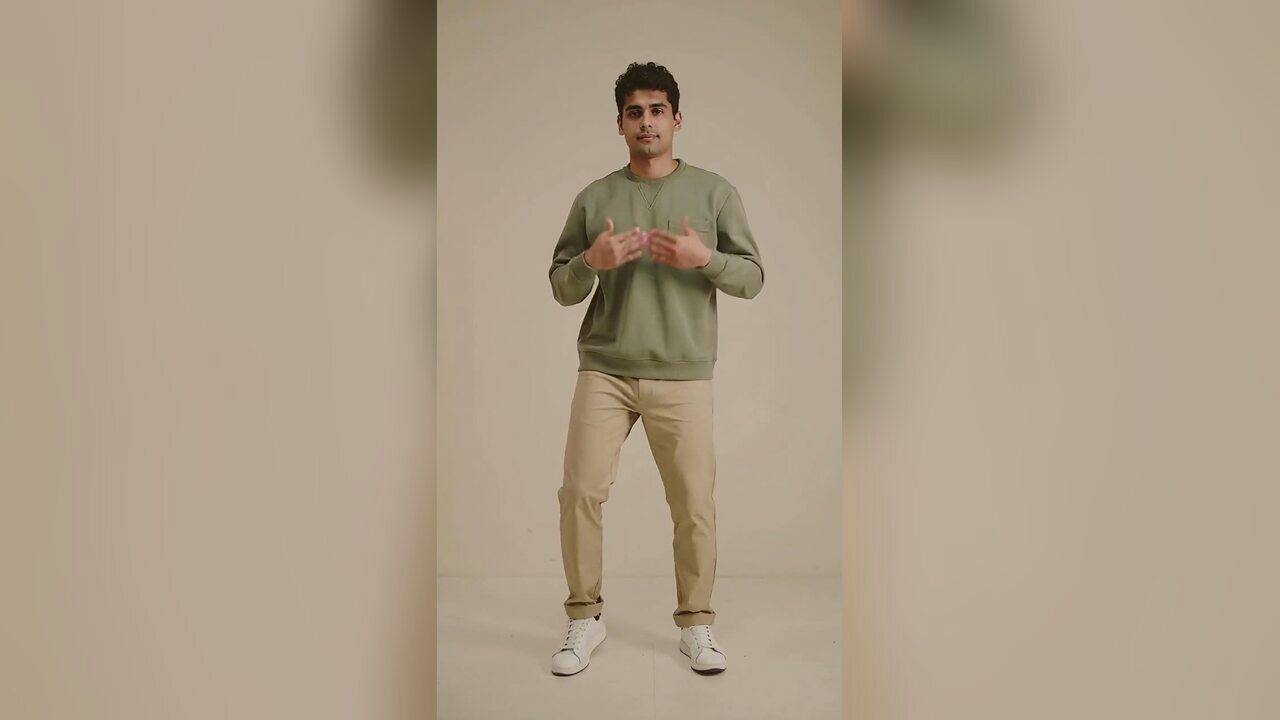
Make a Jawn dance video
One photo in, one deadpan bounce out. Upload, pick a style, generate.
Upload your photo
Choose your style
Video settings
Standard · 720p · 12s · 9:16
This video: 10 credits
10 credits per 720p video
Standard · 720p · 12s. A 1080p render is 50 credits.
By generating, you confirm you have permission to use this photo and agree to our Terms.
Black Friday feeds are crowded with the same three formats: a discount graphic, a product carousel and a countdown. They are useful, but they are not memorable. A short dance clip gives a small brand a face and a bit of personality. It can announce a sale, break up a grid of product posts, or give an account something to publish while the bigger advertisers buy the feed.
The clip is not the whole campaign. It is the attention layer. The offer, the landing page and the checkout still have to work.
Why a dance clip belongs in the plan
A twelve-second vertical clip is easy to watch, easy to repost and easy to pair with a trending sound. It gives the account a human signal in a week when every other post is a price.
It also gives you a reusable asset. You can post it before the sale, on the day, and again as a reminder. Each post can use a different caption or sound.
Six ideas that are not another discount graphic
The deadpan sale announcement
One person, one small arm pump, one straight face. The caption carries the offer. The joke is that the person is celebrating in the most understated way possible.
The product-holder clip
Hold the product at chest height and keep it below the face. The clip animates the person, not the product. The label should be visible in the source photo if the product matters.
The team stack
Start with one person and one clip. If it works, make a second with a teammate and edit them together in the app. Do not put four people in one source photo; the model has four bodies to animate.
The customer-language clip
Use a caption that repeats a real customer question: "Is the annual plan included?" or "Can I use one pack for two projects?" The dance is the hook; the caption is the answer.
The behind-the-counter clip
Film or generate a simple portrait and put the clip next to a screen recording of the product. The generated clip humanizes the top of the post; the screen recording proves the tool.
The last-call clip
Use the same source photo and a different caption for the final hours. The visual is familiar, which is useful when the feed is noisy.
When to publish
In 2026, Black Friday is November 27 and Cyber Monday is November 30. The useful window starts before the day itself, when people are already searching for deals and planning purchases.
A clip posted on the morning of Black Friday competes with every other sale post. A clip posted a few days earlier can set up the offer and give the algorithm time to find an audience. Publish one early, one on the day and one near the end.
Make the caption and the page agree
A funny video that promises 50% off and lands on a page with no discount is worse than no video. The caption, the landing page and the checkout must tell the same story.
If the offer is a one-time credit pack, say that. If the subscription is separate, say that. If the discount does not apply to annual plans, say that before the click.
What to measure
Do not judge the clip by likes alone. Track:
- three-second views,
- clicks to the offer page,
- checkout starts,
- paid orders,
- refunds.
A clip with fewer views but a higher checkout rate is better than a viral clip with no intent. The point is not to win the feed. The point is to move a small number of ready buyers.
A simple content calendar
Start four days before the sale. On day one, post the deadpan clip with a question caption: "Do you actually need another AI subscription?" The answer can introduce the one-time pack.
On day two, post a product-holder clip or a behind-the-counter clip. Show the tool doing one useful thing. The discount is secondary; the proof is the point.
On the day before Black Friday, post the same visual with a clear start time and a link. On the day itself, post a short reminder. Near the end, post the last-call clip with a real deadline.
Four posts is enough for a small account. More posts will not fix a weak offer. If you have a team, add one customer-language clip in the middle. If you do not, keep the calendar simple and reply to comments.
Write the captions before the week starts. A good clip with a rushed caption is still a rushed post. Four captions is a small amount of work compared with the cost of a missed offer.
After the day
Do not delete the page. Change the copy to say the 2026 sale has ended and keep the normal purchase path. The URL can be reused next year, and the search engines can keep the page instead of treating it as a dead end.
Keep the best clip. It is a reusable asset for Cyber Monday, the next seasonal campaign or a retargeting ad. The source photo and the generated clip are separate files; keep both.
FAQ
Does the tool create a full Black Friday ad?
No. It creates a short dance clip. You still need a real offer, a caption and a landing page.
Can I hold a product in the photo?
Yes, if it does not cover your face or hands. Keep it at chest height and make the label visible.
When should I post?
A few days before Black Friday is usually better than the morning of the event. In 2026, Black Friday is November 27.
How much does the video cost?
A standard 720p twelve-second video is ten credits. A 1080p render is fifty. Failed renders are refunded.
Can I use the clip in a paid ad?
Yes, if you own the source photo and have the rights to the product and the music. Check the ad platform's rules for AI-generated creative.
Does the video include music?
No. Add the track in the social app.
Related reading
- What is the Jawn dance?
Where "That's the Jawn" came from, what the routine actually is, and why the whole feed learned it in a week.
- How to make a Jawn dance video from one photo
The full walkthrough: pick the photo, pick the style, generate, download, post.
- Posting your Jawn dance video on TikTok and Reels
Vertical export, sound choice, caption and hashtag notes from the clips that actually travel.
- Jerri "The JAWN": song, sound page and dance guide
The track behind the trend: who released it, why the word lands on the beat, and where the sound page lives.