How to make a pet dance video from one photo
- pet dance
- dog video
- cat video
- AI video
Make a Jawn dance video
One photo in, one deadpan bounce out. Upload, pick a style, generate.
Upload your photo
Choose your style
Video settings
Standard · 720p · 12s · 9:16
This video: 10 credits
10 credits per 720p video
Standard · 720p · 12s. A 1080p render is 50 credits.
By generating, you confirm you have permission to use this photo and agree to our Terms.
The appeal of a dancing pet is simple: an animal doing something an animal would never do, while still looking exactly like itself. The hard part is the "exactly like itself" part. A big dance gives the model a reason to invent a human-shaped body, and that is where extra paws, rubber legs and stretched fur come from.
The fix is not a longer prompt. It is a smaller motion and a cleaner photo.
Why gentle motion wins
A pet's skeleton is different from a person's. When the model is asked for a full dance routine, it can borrow human proportions. A soft sway, tiny paw lifts and a stable camera give it much less to invent.
The joke still lands because the timing and the expression do the work. The animal does not need to backflip. It needs to look mildly annoyed that it is dancing.
The photo that works
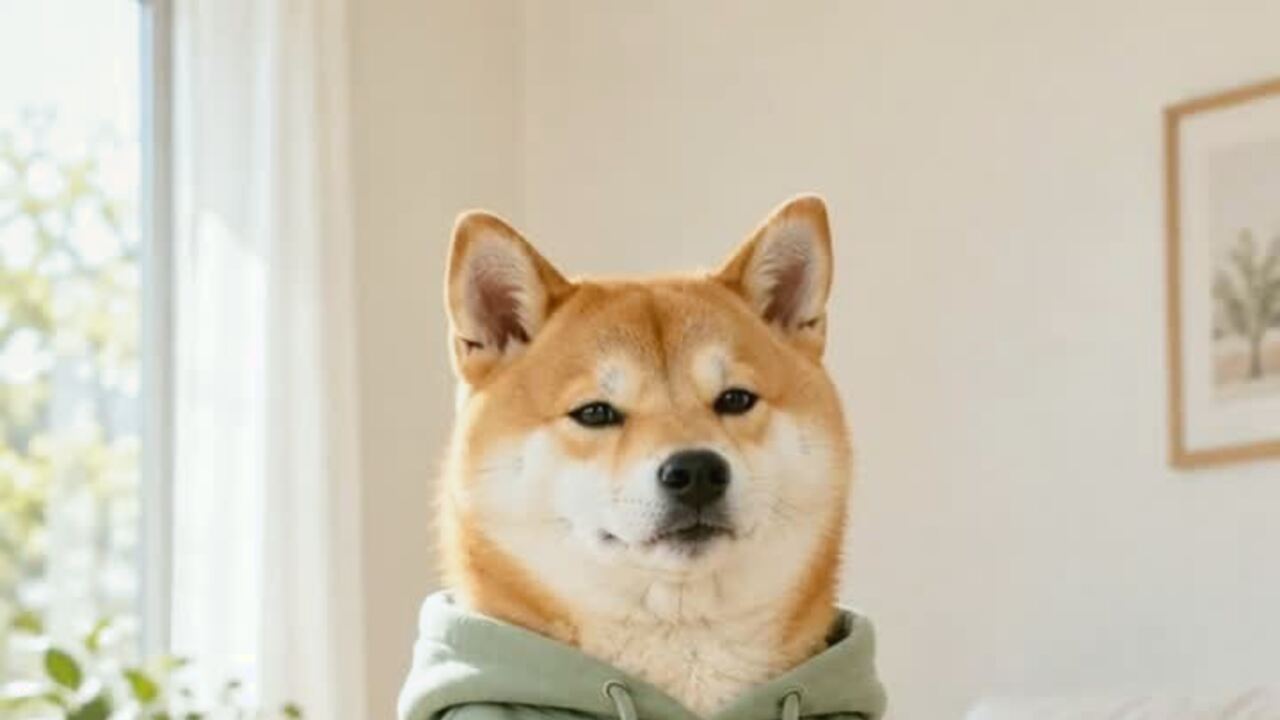
Use a photo where the pet is standing or sitting, facing the camera, with the head and most of the body visible. A plain floor or a simple room is better than a busy park. The model needs to understand where the body ends and the background begins.
Avoid two animals, a person holding the pet, or a toy in the mouth. Those give the model more things to move and more chances to merge them. If the pet is lying down, the dance often looks like a twitch because there is no standing posture to animate.
Add a costume in two steps
If you want a costume, use the pet costume editor first. Upload one photo, generate the portrait, then use that image as the source for the dance. The video tool animates the image; it does not dress the pet.
The two-step flow also gives you an exit. If the costume portrait is wrong, you have not spent credits on a video. If it is right, the dance starts from a frame you already approved.
What to check in the result
- Paws. Count them. Look for a paw that splits into two or a front leg that becomes a back leg.
- Face. The eyes and muzzle should stay in the same relationship. If the face stretches, the clip will feel wrong even if the motion is smooth.
- Fur. Markings should not crawl across the body. A little motion blur is fine; a stripe that moves is not.
- Background. A simple background should stay simple. If the room starts to warp, the model is working too hard.
Why the expression matters
A completely blank pet face makes the motion look mechanical. The preset asks for a bright expression and a small smile at the end because the face gives the clip a beginning and an end. The viewer needs to see the animal react, even if the reaction is only a slight change around the eyes.
If your pet already looks serious, keep it. A grumpy pet doing a tiny dance is funnier than a forced grin. The model should preserve the face, not replace its personality.
A two-photo test
If you are not sure which photo will work, run the same idea with two source photos. Use the first clip to judge the body and the second to judge the face. Keep the better one.
The test is especially useful for a pet with a lot of fur or a dark coat. One photo may show the markings clearly and the other may turn them into a blur. You do not need to guess before you spend credits.
When the render goes wrong
Extra paws, a stretched body or a face that looks like a different animal are all reasons to stop. Do not post a clip because the motion is funny if the animal is wrong. The joke depends on recognition.
Try a cleaner source photo before changing the prompt. A standing or sitting pet with a visible body is easier than a close-up. If the second render still fails, use a still portrait instead. A good image is better than a bad video.
When your pet will not sit still
You do not need a perfectly trained pet for this tool. You need one sharp photo. Take twenty phone photos in a bright room and keep the one where the animal is standing or sitting with the face toward the camera. The other nineteen can be deleted.
If the pet is always moving, ask someone to hold a treat just above the camera for a second. Do not use a photo where a hand is visible in the frame. The goal is a still image, not a training session.
The generated clip is not a test of obedience. It is a visual joke. A slightly serious expression and a small sway are enough.
Posting a pet clip
The default is 720p, twelve seconds, 9:16 vertical and silent. Add the sound in TikTok, Reels or Shorts. Keep the original MP4 and upload that file each time.
A pet clip does not need a long caption. The animal is the hook. A short line like "he has no idea what day it is" is enough. If the clip is made with AI, say so. The joke does not depend on fooling anyone.
FAQ
Will my pet still look like my pet?
The prompt preserves breed, fur, markings, face and real proportions. A clear, front-facing photo gives the model the best chance.
Can I make a cat dance too?
Yes. A standing or sitting cat with a clear body shape works best. The preset is written for pets generally.
How much does a pet dance video cost?
A standard 720p twelve-second video is ten credits. A 1080p render is fifty. Failed renders are refunded.
Can I add a costume?
Use the pet costume editor first, then upload the portrait here. The video tool does not add clothing.
Does the video have sound?
No. Add the track in the social app when you post.
Can I use a photo with two pets?
It is not recommended. One animal gives the model a clear body to animate.
Related reading
- What is the Jawn dance?
Where "That's the Jawn" came from, what the routine actually is, and why the whole feed learned it in a week.
- How to make a Jawn dance video from one photo
The full walkthrough: pick the photo, pick the style, generate, download, post.
- Posting your Jawn dance video on TikTok and Reels
Vertical export, sound choice, caption and hashtag notes from the clips that actually travel.
- Jerri "The JAWN": song, sound page and dance guide
The track behind the trend: who released it, why the word lands on the beat, and where the sound page lives.