Pet Halloween costume ideas worth a photo preview
- pet costume
- halloween pets
- dog costume
- cat costume
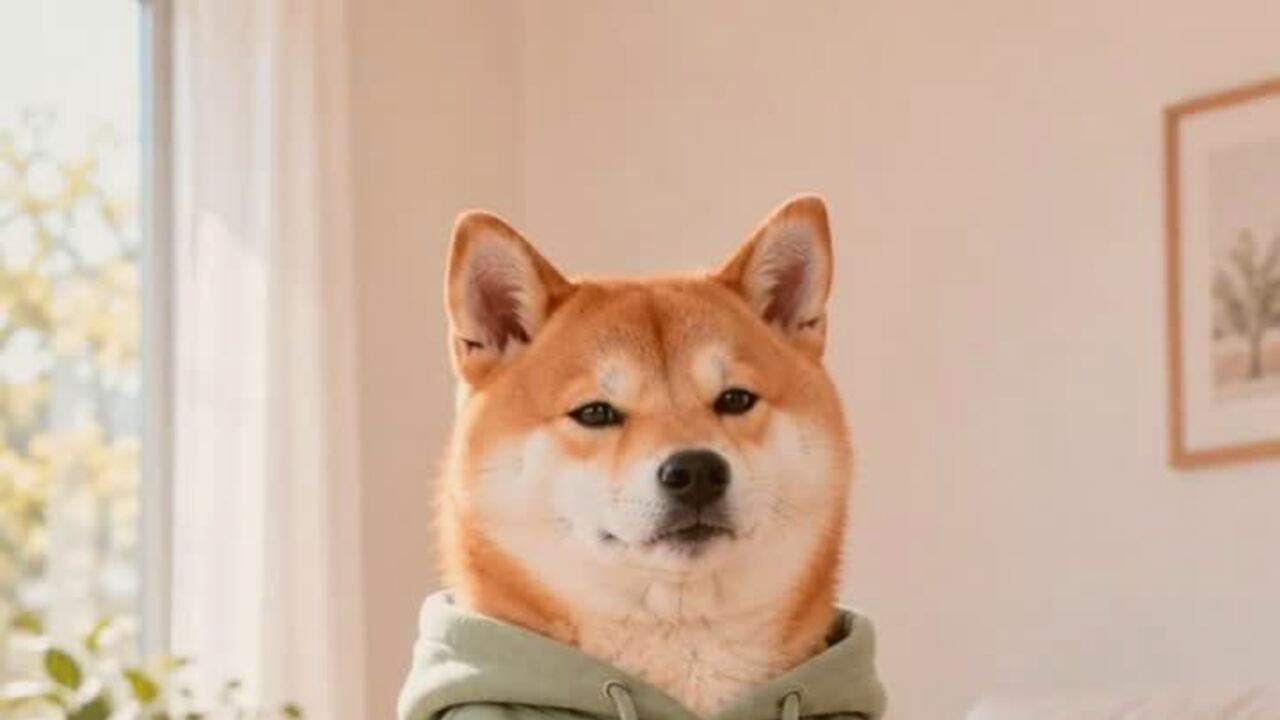
Edit your photo
Upload a clear photo. The preset handles the wardrobe, scene and light; you keep control of the final image.
Prompt recipe
This is the exact instruction the server sends. The upload cannot rewrite it.
Edit the uploaded pet photo into a premium Halloween pet portrait. Preserve the animal's original breed, fur color, distinctive markings, eye color, facial appearance and natural anatomy. Dress the pet in a soft pumpkin-inspired costume with a small green leaf collar. The costume should fit naturally and must not cover the eyes, ears or mouth. Place the pet in a cozy autumn studio with warm practical lighting, miniature pumpkins and a simple dark backdrop. Use photorealistic professional pet photography with realistic fur texture and soft natural shadows. Avoid extra animals, unnatural paws, duplicated limbs, text and watermarks.
Your edit
Your result will appear here. A clear, front-facing photo gives the model the most to work with.
A pet costume is funny for about ninety seconds. That is enough time for a photo, which is why the photo matters more than the outfit. You want the joke, the animal and the costume to survive the crop. You do not want a generic dog in a generic pumpkin suit with no relation to the pet you actually live with.
An AI preview is a low-cost way to test the joke. Upload one clear photo and see the animal in a costume direction before you buy fabric it may refuse to wear.
The one rule that matters
The costume must not cover the eyes, ears or mouth. This is a comfort rule and an image rule. A mask hides the features that make the portrait recognizable, and it creates a shape the model may misinterpret as part of the body.
Soft costumes with a visible body, a collar or a small hat work best. A full hood, a tight sleeve or a dangling prop is more likely to produce a strange pose.
Six ideas that read quickly
Pumpkin pet. A soft orange body and a small green leaf collar. It is the default for a reason: the silhouette is clear and the face stays open.
Baked potato. A lumpy brown costume with a pat of butter on top is a classic internet joke. It works best on a pet with a round body and a serious expression.
Stick of butter. A yellow rectangular costume with a simple wrapper shape. The humor comes from the absurdity, so keep the background plain.
Tiny dinosaur. Spikes along the back and a soft hood that leaves the face visible. Avoid a full dinosaur head; it hides the pet.
Glow-in-the-dark dinosaur. A dark studio with a subtle green glow. This is more of a photo concept than a costume. The lighting does most of the work.
Christmas tree in October. A cone-shaped green costume with tiny ornaments. It is intentionally off-season and works as a joke for a pet who already looks unimpressed.
The photo that gives the model the best chance
Take the photo at the pet's eye level. Use natural window light. Keep the whole head and most of the body in frame. A plain wall or a simple rug is better than a busy park.
Avoid motion blur, heavy backlight and photos where the pet is half under a table. The model needs clear markings and a readable face. If you can choose between a perfect studio photo and a clear phone photo, use the phone photo.
What the preview can and cannot do
It can show you the color, the silhouette and the mood. It can help you decide between pumpkin, potato and dinosaur. It can give you a shareable image even if your pet refuses to wear the real thing.
It cannot tell you whether the costume will stay on, whether the fabric will overheat the animal or whether the pet will chew the leaf collar off in four seconds. Those are real-world checks.
If you buy a costume, look for soft fabric, adjustable straps and no small parts. Never leave a costumed pet unattended. The preview is the fun part; the real outfit still has to be safe.
From portrait to dancing pet
A still costume portrait can become a short dance clip. The pet dance tool adds a gentle sway and tiny paw lifts. Keep the motion small. A big dance on a pet tends to produce extra paws or a stretched body.
Use the costume portrait as the source if you want the outfit to stay consistent. The video tool animates the image; it does not add the costume.
Turn one portrait into a series
One good pet portrait can become a small series without generating a new animal every time. Start with the same source photo and change one variable: the costume color, the background, or the expression. Keeping the pet identical makes the series feel intentional. Changing everything at once makes it look like three different animals.
For a carousel, use a wide portrait first, then a close-up, then a second costume idea. The wide shot establishes the scene. The close-up shows the face and the costume detail. The second idea gives the viewer a reason to swipe again.
For a story, use the portrait as the first frame and a short dance clip as the second. The still image is the setup; the moving image is the punchline. Do not post both at the same time in the same frame. Let the viewer meet the pet once, then see it move.
If you are making a series for a brand account, keep the same background and light direction. A grid of pets on the same warm studio sweep looks like a campaign. A grid of pets in different rooms looks like a camera roll.
A note on real costumes
The generated portrait is not proof that a real costume is safe or comfortable. If you buy one, introduce it slowly. Let the pet sniff it, try it for a few seconds, and stop if the animal pulls away, freezes or tries to chew it. Never leave a costumed pet alone.
The best real costume is often the simplest: a soft bandana, a small collar accessory or a harness cover. It reads in a photo and does not change the animal's movement. The AI preview can be more theatrical than the real outfit. That is allowed.
FAQ
Will the edit keep my pet's markings?
The prompt preserves breed, fur color, markings, eye color and facial appearance. Clear, evenly lit photos give the best result.
Can I use a photo with a person in it?
Crop the person out or choose a photo of the pet alone. If a person is visible and has not agreed to the edit, do not upload it.
How much does a pet costume preview cost?
Four credits per image. Failed edits return their credits automatically.
Does the costume cover the pet's eyes?
The preset keeps the eyes, ears and mouth visible. A full mask would hide the features that make the portrait recognizable.
Can I animate the portrait?
Yes. The pet dance page uses the same photo and adds a gentle motion. It is a separate 10-credit video render.
Related reading
- What is the Jawn dance?
Where "That's the Jawn" came from, what the routine actually is, and why the whole feed learned it in a week.
- How to make a Jawn dance video from one photo
The full walkthrough: pick the photo, pick the style, generate, download, post.
- Posting your Jawn dance video on TikTok and Reels
Vertical export, sound choice, caption and hashtag notes from the clips that actually travel.
- Jerri "The JAWN": song, sound page and dance guide
The track behind the trend: who released it, why the word lands on the beat, and where the sound page lives.